
Netzsperre prüfen: Ursachen und Lösungen

Simon Muller
Veröffentlicht am 23. September 2026

Netzsperre prüfen: Ursachen und Lösungen
Du landest in Heathrow, schaltest dein iPhone ein und siehst, dass Roaming aktiv ist. Drei Wochen später kommt die Rechnung. AT&T berechnet außerhalb der USA bis zu 15 $ pro Tag. Damit dir das nicht noch einmal passiert, kaufst du am Flughafen eine lokale SIM-Karte. Du steckst sie ein. Auf dem Display blinkt eine Warnung: „Netzwerk gesperrt“.
Du hast keine Daten. Du kannst keine Karte laden. Du kannst kein Taxi bestellen. Dein Heimanbieter hat dein Gerät an sein eigenes Netz gebunden. Dein Handy lehnt die neue SIM ab.
Eine Netzsperre gehört zu den häufigsten Netzproblemen im Ausland. Um sie zu beheben, musst du deinen Sperrstatus prüfen, bevor du verreist. Ist das Handy erst entsperrt, kannst du auf physische SIM-Karten ganz verzichten. Eine GoMoWorld eSIM löst die Konnektivität von vornherein. Du bekommst 10 GB Daten für 15 Tage zu 10,99 €. Deine Heimnummer bleibt für Anrufe und SMS aktiv.
Warum tritt dieses Problem auf?
Netzbetreiber verkaufen Smartphones mit hohen Rabatten. Sie bezuschussen die Hardwarekosten. Im Gegenzug binden sie das Gerät an ihr Netz. Diese Softwarebeschränkung verhindert, dass du SIM-Karten der Konkurrenz oder Reise-eSIMs nutzt. Versuchst du, dich mit einem anderen Netz zu verbinden, blockiert das Handy das Signal komplett.
Die Sperre ist reine Software-Einstellung. Sie verknüpft die eindeutige IMEI-Nummer deines Handys mit der Datenbank des Netzbetreibers. Mit einem physischen Defekt hat sie nichts zu tun. Vermutest du, dass deine physische Karte kaputt ist, lies die Anzeichen einer beschädigten SIM.
US-Netzbetreiber wie AT&T und T-Mobile sperren Handys, bis sie vollständig abbezahlt sind. Verizon entsperrt Handys automatisch 60 Tage nach dem Kauf. In Europa werden die meisten modernen Handys standardmäßig ohne Sperre verkauft.
Ist dein Handy gesperrt, kannst du weder eine lokale SIM noch eine Reise-eSIM nutzen. Du bekommst dauerhaft eine Fehlermeldung. Erfahre, was passiert, wenn dein Handy keine SIM anzeigt.
Schnelle Lösung (hilft in 80 % der Fälle)
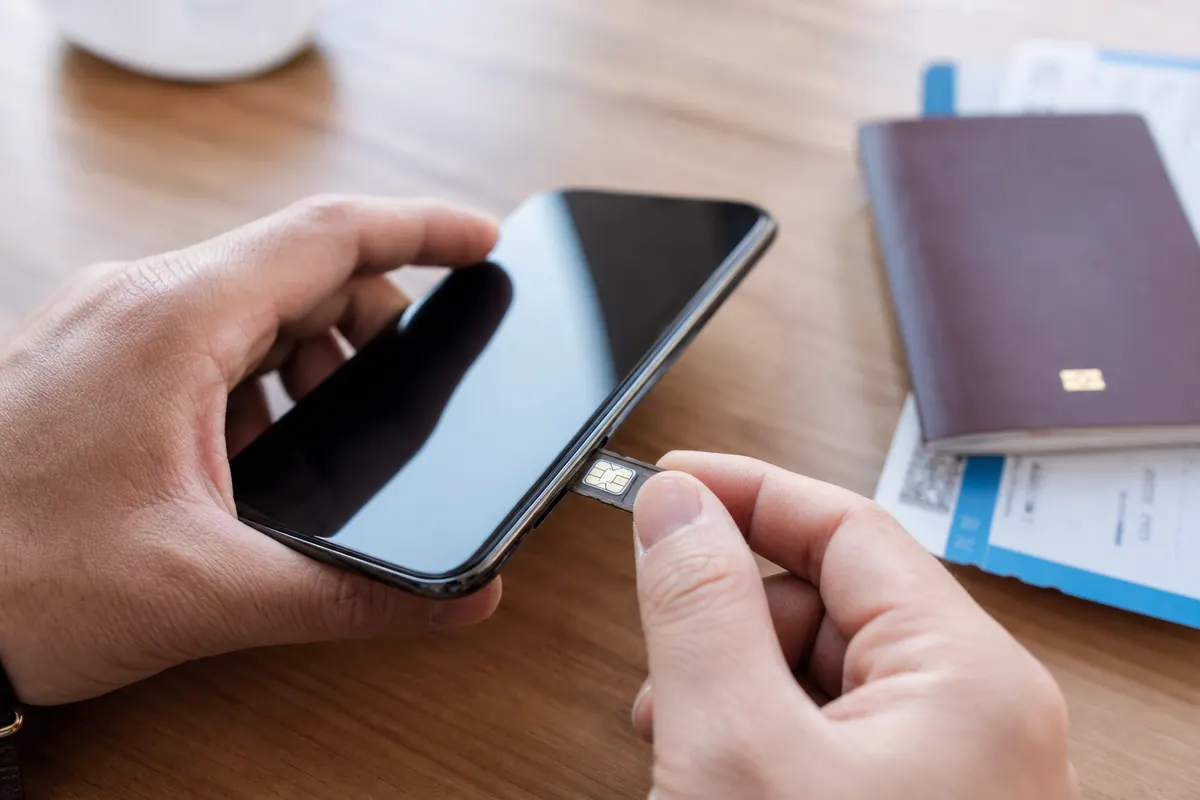
Prüfe den Status deines Handys selbst, bevor du den Kundenservice anrufst. Die Netzsperre kannst du direkt in den Geräteeinstellungen kontrollieren.
Für iPhone-Nutzer:
- Öffne die Einstellungen.
- Tippe auf Allgemein.
- Tippe auf Info.
- Scrolle nach unten zu Netzsperre.
Steht auf dem Bildschirm „Keine SIM-Einschränkungen“, ist dein Handy entsperrt. Du kannst eine Reise-eSIM installieren. Steht dort „SIM gesperrt“, musst du deinen Netzbetreiber kontaktieren.
Für Android-Nutzer (Samsung, Google Pixel):
- Öffne die Einstellungen.
- Tippe auf Verbindungen oder Netzwerk & Internet.
- Tippe auf Mobilfunknetze.
- Tippe auf Netzbetreiber.
Schalte den Schalter „Automatisch auswählen“ aus. Sucht dein Handy und zeigt mehrere verfügbare Netze an, ist es wahrscheinlich entsperrt. Manche Samsung-Geräte zeigen in den Einstellungen unter „Über das Telefon“ einen eigenen Status zur „Netzwerkentsperrung“ an.
Ist dein Handy entsperrt, die Einrichtung der eSIM scheitert aber trotzdem, liegt das Problem woanders. Lies zur SM-DP+-Einrichtung nach, um Fehler bei der manuellen Konfiguration zu beheben.
Weiterführende Lösungen
Ist dein Handy gesperrt, brauchst du einen offiziellen Entsperrcode oder eine Fernentsperrung durch deinen Netzbetreiber. Mit Apps von Drittanbietern kannst du diese Beschränkung nicht umgehen.
Schritt 1: Voraussetzungen prüfen Dein Gerät muss vollständig abbezahlt sein. Dein Konto muss in Ordnung sein. Es darf kein offener Betrag bestehen. Das Handy darf nicht als verloren oder gestohlen gemeldet sein.
Schritt 2: Entsperrung beantragen Kontaktiere deinen Netzbetreiber. AT&T bietet ein Online-Portal zur Geräteentsperrung. Du stellst deine Anfrage über die Website. T-Mobile bietet auf Android-Geräten eine eigene App „Device Unlock“. Bei T-Mobile-iPhones musst du dem Kundenservice schreiben.
Für diesen Vorgang brauchst du deine IMEI-Nummer. Wähle auf der Telefontastatur *#06#, um sie anzuzeigen.
Schritt 3: Entsperrung anwenden Bei iPhones führt der Netzbetreiber die Entsperrung aus der Ferne durch. Verbinde dein Handy mit dem WLAN. Die Sperre verschwindet automatisch.
Bei manchen Android-Geräten gibt dir der Netzbetreiber einen speziellen Entsperrcode. Stecke eine nicht unterstützte SIM-Karte in das Handy. Der Bildschirm fordert dich zur Eingabe des Codes auf. Gib die Zahlenfolge deines Netzbetreibers ein.
Ist das Handy entsperrt, hast du die Kontrolle über deine Konnektivität. Du kannst den Datenverbrauch im Hintergrund im Ausland überwachen und einschränken. Mehr dazu in unserem Beitrag zur Kontrolle der App-Daten im Hintergrund.
Vorbeugen
Reise nie, ohne deinen Sperrstatus zu prüfen. Kontrolliere dein Handy schon Wochen vor dem Abflug. Die Entsperrung durch den Netzbetreiber kann bis zu 48 Stunden dauern. Wartest du bis zum Flughafen, sitzt du ohne Daten fest.
Kauf entsperrte Handys direkt beim Hersteller. Ein entsperrtes Handy gibt dir völlige Freiheit. Du kannst jedes Netz weltweit nutzen. Teure tägliche Roaming-Pässe sparst du dir.
Ist dein Handy erst entsperrt, sichere dir deine Daten schon vor dem Flug. Verlass dich nicht auf teures Roaming deines Netzbetreibers. Verschwende keine Zeit damit, an ausländischen Flughäfen nach physischen SIM-Karten zu suchen.

GoMoWorld bietet eine reine Daten-eSIM. Die Installation läuft zu 100 % über die GoMoWorld App. Es gibt keinen QR-Code zu scannen. Du lädst die App auf iOS oder Android herunter. Du wählst dein Reiseziel.
GoMoWorld Tarife verfallen nie, bevor du sie aktivierst. Kauf deinen Tarif noch heute. Lass ihn in der App liegen. Wenn du landest, öffnest du die App und tippst auf „Start“. Die Aktivierung erfolgt komplett manuell. Du bestimmst genau, wann deine Daten starten. Keine automatische Aktivierung heißt: keine bösen Überraschungen bei den Kosten.
Deine Heim-SIM bleibt für Anrufe und SMS aktiv. GoMoWorld nutzt du ausschließlich für Daten. Du kannst deine Freunde kostenlos anrufen – prüfe vorher aber, wie viele Daten WhatsApp verbraucht. Jeder GoMoWorld Tarif enthält den Zugang zum mobilen Hotspot.
| Netzbetreiber | Roaming-Tarif | Geschätzter Preis |
|---|---|---|
| AT&T | Internationaler Tagespass | ca. 15 $/Tag |
| T-Mobile | International Pass | ca. 15 $/Tag |
| Verizon | TravelPass | ca. 15 $/Tag |
| GoMoWorld eSIM | 15 Tage, 10 GB Daten | 10,99 € |
GoMoWorld funktioniert strikt per Prepaid. Sind deine Daten aufgebraucht, stoppt die Verbindung. Es fallen keine Zusatzgebühren bei Überschreitung an. Brauchst du mehr Daten, kaufst du einfach einen weiteren Tarif.
Damit du keine Roaming-Schocks und keine Probleme mit der Netzsperre erlebst, kümmere dich jetzt gleich um deinen Datentarif. eSIM →
FAQ
Warum zeigt mein Handy „Netzwerk gesperrt“ an?
Dein Netzbetreiber hat das Gerät an sein eigenes Netz gebunden. Das passiert, wenn du ein Handy auf Raten oder zu einem subventionierten Preis kaufst. Das Handy lehnt jede SIM-Karte eines anderen Netzes ab, bis es offiziell entsperrt wird.
Was ist ein Netzwerk-Entsperrcode?
Ein Netzwerk-Entsperrcode ist eine bestimmte Zahlenfolge, die dir dein Mobilfunkanbieter mitteilt. Wenn du eine neue SIM-Karte einlegst, fordert das Handy diesen Code an. Gibst du den richtigen Code ein, wird die Netzbeschränkung dauerhaft aufgehoben.
Wie entsperre ich mein Netz?
Du musst den Netzbetreiber kontaktieren, der dir das Handy ursprünglich verkauft hat. Ist dein Gerät vollständig abbezahlt und dein Konto in Ordnung, führt er die Entsperrung durch. Bei iPhones geschieht das aus der Ferne, bei Android-Geräten über einen Entsperrcode.
Was ist eine Netzsperre (Carrier Lock)?
Die Netzsperre ist eine Softwarebeschränkung, die dein Mobilfunkanbieter auf deinem Smartphone einrichtet. Sie zwingt das Handy, sich nur mit den Funkmasten dieses Anbieters zu verbinden. Du musst diese Sperre aufheben, um im Ausland lokale SIM-Karten oder Reise-eSIMs zu nutzen.


Ähnliche Artikel
SM-DP+-Adresse: wo finden und den eSIM-Fehler beheben

WhatsApp auf Reisen: kostenlos oder kostenpflichtig? So geht's
Apps und Daten im Ausland: Der komplette Troubleshooting-Guide
Keine SIM verfügbar: Ursachen und Lösungen

Erfahrungsberichte unserer Reisenden
4.7
App Store

4.7
Google Play Store

5. März 2026
Zuverlässig und günstig
Zuverlässige und günstige Lösung, um auf Reisen verbunden zu bleiben


27. Februar 2026
Exzellente eSIM
Sehr einfach zu benutzen. In mehreren Ländern getestet, und ich werde GoMoWorld definitiv weiter nutzen


26. Februar 2026
Die besten eSIM-Tarife
Unschlagbarer Preis und exzellente Netzabdeckung. Ich habe sie in der Türkei und in Russland genutzt, ohne das geringste Problem. Kann ich nur empfehlen!


10. Februar 2026
Exzellenter eSIM-Service
Ich nutze ihre eSIM in vielen Ländern: Indien, Kolumbien, Nicaragua, USA... Keine Verbindungsprobleme, außer in großer Höhe, wo sowieso niemand Empfang hat.

7. Februar 2026
Funktioniert von der ersten Sekunde an perfekt
Installation und Aktivierung sind einfach. Der kostenlose Test in der Schweiz hat super funktioniert. Perfekte Verbindung überall in Gambia. Die Verlängerung nach Ablauf war einfach, günstig und schnell.


25. Januar 2026
Exzellente Datenpläne zu wettbewerbsfähigen Preisen
GoMoWorld bietet das beste Preis-Leistungs-Verhältnis aller Optionen, die ich verglichen habe. Auch das Erlebnis in der App ist deutlich besser als bei anderen getesteten Diensten. Es wird keine Identitätsprüfung verlangt. Zahlung und Installation sind super einfach. Die App führt dich Schritt für Schritt durch die eSIM-Installation und empfiehlt dir die richtigen Einstellungen. Kann ich sehr empfehlen für alle, die viel Datenvolumen zu wirklich attraktiven Preisen suchen.

Was ist eine eSIM?
Wir erklären dir alles.
Eine einfache digitale Lösung, um verbunden zu bleiben, wohin du auch gehst.

Sag Lebewohl zu physischen SIM-Karten
Keine physische SIM-Karte mehr, mit der du hantieren musst (oder die du verlieren kannst): Mit einer eSIM ist alles digital.

Schnelle und einfache Aktivierung
Lade deine GoMoWorld-eSIM über die mobile App herunter und sei in wenigen Minuten verbunden. Alle unsere Pakete starten bei nur 3,99 €, ohne Abo und ohne versteckte Kosten.

Ideal für Reisende
Behalte deine gewohnte SIM für Anrufe und SMS aktiv, während du GoMoWorld für deine Daten nutzt. Du kannst deine Haupt-SIM und deine eSIM gleichzeitig aktiv haben, oder auch zwei eSIMs.


ab
3,99 €

Noch am Überlegen?
Lade die App herunter und teste GoMoWorld risikofrei mit unserer kostenlosen Testversion. Das Abenteuer beginnt hier!
