
SIM Card Error: Causes and Solutions

Simon Muller
Posted on May 26, 2026

SIM Card Error: Causes and Solutions
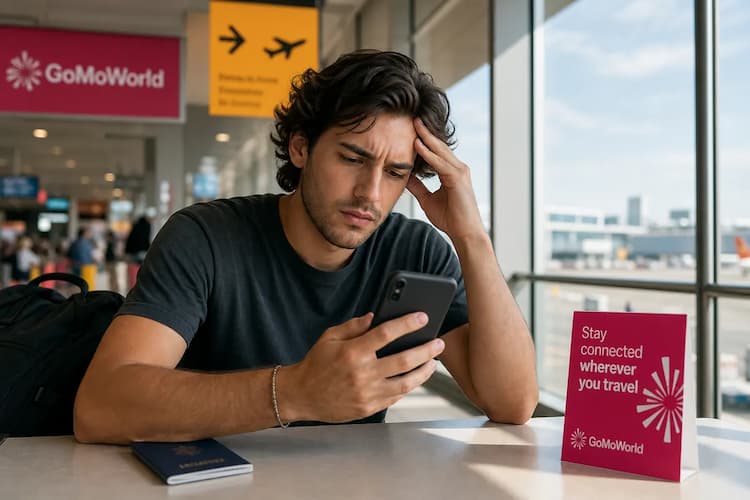
You land at your destination. You turn off airplane mode. You expect your phone to connect immediately. Instead, you see "SIM Card Error" on your screen. You have no network. You cannot check your maps. You cannot contact your hotel. AT&T charges up to $15 a day for roaming. Yet, your phone refuses to connect at all. You are stuck offline in a foreign country. GoMoWorld bypasses this physical hardware issue entirely. We offer €10.99 for 15 days with 10GB of data. You fix your connectivity instantly.
Why does this problem occur?
Your phone cannot read the physical chip inside the tray. This communication failure happens for several specific reasons.
First, physical damage causes immediate errors. Dust enters the SIM slot. Moisture corrodes the metal contacts. A heavy drop misaligns the internal tray. If you face damaged sim card, you need a physical replacement.
Second, software glitches disrupt the connection. A recent operating system update might alter your network settings. Your phone loses the ability to authenticate the chip.
Third, incorrect provisioning blocks access. If you use a dual SIM phone, the second slot might lack proper registration. The carrier network rejects the connection request.
Fourth, security blocks trigger errors. If you enter the wrong PIN code three times, the SIM locks. If you fail the PUK code ten times, the card dies permanently. You must order a new one.
Finally, traveling forces your phone to switch networks frequently. Sometimes, the device simply fails to handshake with the foreign carrier. This triggers a generic error message. If you encounter no sim available, the core issue remains identical. The phone and the chip stop talking.
Quick fix (solves 80% of cases)

Do not panic. You can fix most detection issues in two minutes. Follow these exact steps immediately.
- Toggle your connection. Turn on airplane mode for 30 seconds. Turn it back off. This forces your phone to search for signal towers again.
- Restart your device. Power down your phone completely. Wait one minute. Turn it back on. A fresh boot clears temporary software bugs.
- Reseat the physical card. Find a SIM ejector tool. A paperclip works perfectly too.
- Push the tool into the small hole next to the tray. Pull the tray out carefully.
- Inspect the card. Look for deep scratches or dirt. Wipe the gold contacts with a clean microfiber cloth. Do not use water. Do not use alcohol.
- Place the card back into the tray. Ensure it sits flat. Push the tray firmly into the phone until it clicks.
A loose tray causes the vast majority of detection errors. Pushing it back into place forces the internal pins to read the chip.
Check your screen. Wait 60 seconds. If you see signal bars, the problem is solved. If the error persists, you must try advanced methods.
Advanced solutions
Your hardware might be perfectly fine. The software might be failing. You must dig deeper into your settings.
Update your carrier settings first. On an iPhone, go to Settings. Tap General. Tap About. If an update is available, a prompt appears instantly. Tap update. On Android, check your system updates menu.
Reset your network settings. This is a powerful fix. It deletes saved Wi-Fi passwords. It removes Bluetooth pairings. Most importantly, it clears corrupted cellular data. Go to Settings. Find the reset options. Select "Reset Network Settings". Your phone will restart.
Check your Access Point Names. Incorrect APNs block data. Sometimes, data apps abroad stem directly from bad APN configurations. Verify the correct details with your carrier.
If you use a digital profile and get an error, check your installation. Ensure you did not delete the profile by mistake. Some users face activation issues requiring manual input. If you need sm-dp+ address, consult your provider's manual setup guide.
Test the SIM card in another unlocked phone. This isolates the problem. If the second phone reads the card, your phone's SIM reader is broken. You need a hardware repair. If the second phone shows the same error, your SIM card is permanently dead.
You must order a new physical card from your carrier. This takes several business days. They mail it to your home address. You are traveling right now. You need data immediately.
Prevention

Physical SIM cards fail. They scratch easily. They bend in your pocket. They get lost during flights.
Stop relying on fragile plastic chips when you travel. Switch to a digital solution. Use an eSIM.
An eSIM is embedded directly into your phone's motherboard. It cannot fall out. It cannot get scratched. It eliminates physical hardware errors completely.
With GoMoWorld, you install the app and buy a data plan. You keep your home number active. You use your home line for calls and texts. You use GoMoWorld exclusively for data.
Need to message your family? You can still use whatsapp while traveling with your regular phone number. The app runs perfectly over the GoMoWorld data connection.
Installation is effortless. No QR codes exist. You install everything directly through the GoMoWorld app.
Plans never expire until you activate them. Buy your plan at home. Activate it manually when you land. You just tap "Start" in the app. No auto-activation means no surprise charges.
We offer three fixed durations worldwide. Pay €3.99 for 7 days with 3GB. Pay €10.99 for 15 days with 10GB. Pay €19.99 for 30 days with 25GB.
Hotspot is included on all plans. Share your connection with your laptop or tablet easily.
You prepay for what you need. No overage fees exist. When the data runs out, the connection stops. You simply buy another plan if you need more.
| Carrier | Roaming Plan | Estimated Price |
|---|---|---|
| AT&T | International Day Pass | ~$15/day |
| T-Mobile | International plan | ~$15/day |
| Verizon | TravelPass | ~$15/day |
| GoMoWorld eSIM | 15 days, 10GB | €10.99 |
FAQ
What should I do when my phone no longer detects the SIM card?
Inspect your physical SIM card immediately. Clean the gold chip with a soft microfiber cloth. Reinsert it firmly into the tray. Test the SIM in another unlocked device to check for hardware failure.
Why does my SIM card show an error?
Your phone cannot read the chip's contents. This happens due to physical damage, a loose tray, or a software glitch. It blocks your connection to the carrier network entirely.
What are the signs of a defective SIM card?
Calls drop constantly without warning. Cellular data stops working suddenly. The phone displays "No SIM" or "Invalid SIM" despite the card sitting correctly inside the tray.
Why won't my SIM card connect to the network?
The card might be improperly inserted. A misaligned chip cannot establish a secure connection. Network outages or outdated carrier settings also prevent successful connections to the local towers.


Similar articles

SM-DP+ Address: Complete Troubleshooting Guide

WhatsApp While Traveling: Free or Paid? How to Use It

Data Apps Abroad: Comprehensive Troubleshooting Guide
No SIM Available: Causes and Solutions

Hear from our Happy Travelers
4.7
App Store

4.7
Google Play Store

March 5, 2026
Trustworthy and cheap
A trustworthy and economic way of being in contact with home when travelling


February 27, 2026
Excellent esim
Easy to use. Used in many countries and will continue to use gomoworld


February 26, 2026
Best eSIM prices
Excellent price and good network coverage. Used it for my trips to Turkey and Russia, I faced no issues at all. Recommend!


February 10, 2026
Great eSIM service
I use their esim and I have used them all over India, Colombia, Nicaragua and the US and have not had problems with connection, except high in the mountains where no one has it.

February 7, 2026
Works flawlessly from 1st second
Installing and activating is straightforward, testing the system with a free trial in Switzerland worked fine Connection throughout the Gambia was perfect Renewal after expiration was easy, cheap and quick.


January 25, 2026
Really good data plans withs reasonable prices
GoMoWorld offered the best value out of all the options I considered. The app experience was also superior to other services I’ve tried. There was no ID verification requirement. Payment and setup was super easy. It guides you step by step how to install the eSIM and tells you the recommended settings. I would recommend to anyone looking for lots of data with really competitive prices.

What is an eSIM?
We’ll Explain Everything.
A simple, digital solution for staying connected wherever you Go.

Say Goodbye to Physical SIM Cards
No need to handle a physical SIM card (or risk losing yours)—everything is digital with an eSIM.

Quick and Easy Activation.
Download your GoMoWorld eSIM from our app and get connected in minutes. All our plans start at just €3.99, with no subscriptions or hidden fees.

Perfect for Travelers
Keep your regular SIM active for calls and texts while using GoMoWorld for data. You can have both your primary SIM and eSIM active simultaneously, or two eSIMs.


from
€3.99

Still thinking about it?
Download the app and enjoy a risk-free Trial. Experience GoMoWorld travel eSIM now!
