

Best Internet for Sporting Events Abroad

Simon Muller
Posted on May 26, 2026
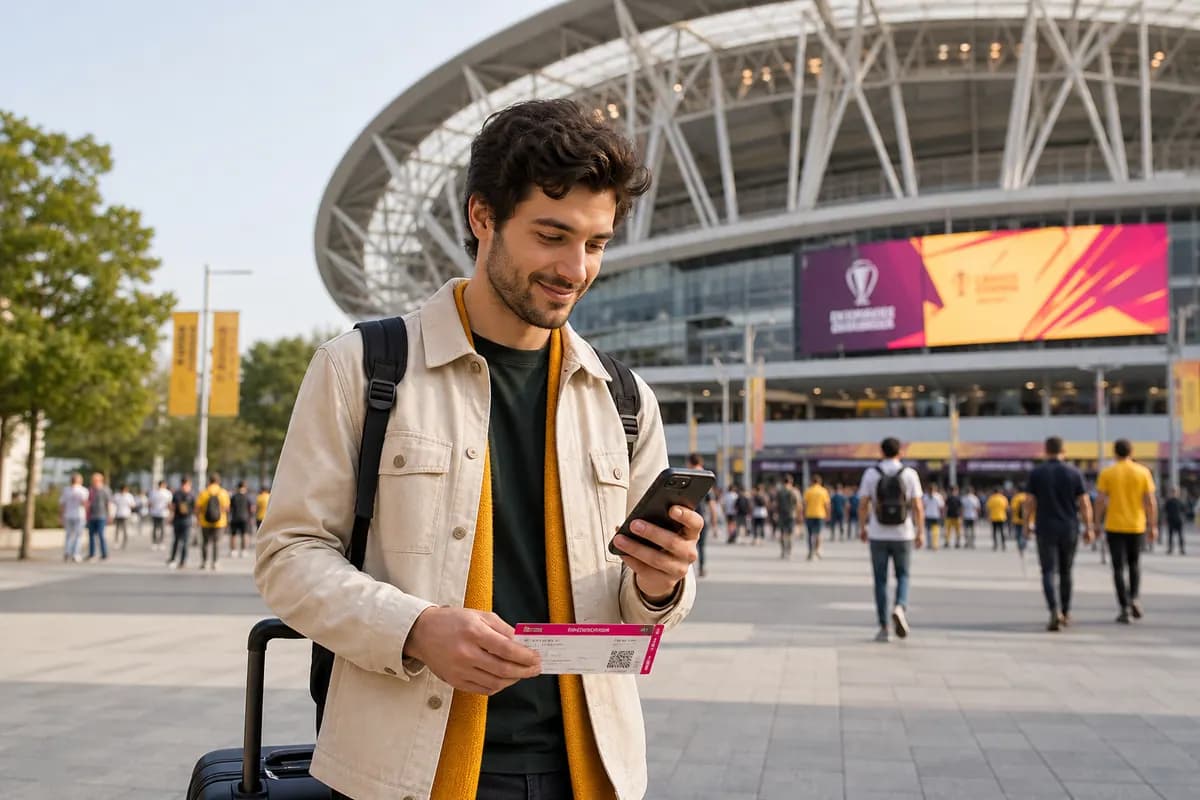
Best Internet for Sporting Events Abroad
You land in a new country for a major sports event. You turn off airplane mode to check your digital tickets. Your home carrier hits you with a $15 daily roaming fee. You pay $105 for a one-week trip just to stay online.
GoMoWorld fixes this. You get a dedicated data plan for your destination. 10GB for €10.99. No daily fees. No roaming traps. You keep your home number active for calls and texts, and you use a local data network for everything else.
The connection problem for travelers abroad
Modern travel demands constant connectivity. You need data the second you step off the plane.
You need to order a rideshare from the airport. You need to load Google Maps to find your hotel. You need to translate a menu. If you travel for major sports events, the demand for data multiplies. You need to download stadium tickets, check match schedules, and stream highlights.
Your home mobile carrier knows this. They exploit this need.
Carriers like AT&T, Verizon, and T-Mobile offer international day passes. They charge up to $15 per day to let you use your domestic plan abroad. If you travel for 15 days, you pay $225 just for data access. This is a massive hidden cost in your travel budget.
If you decline the day pass and leave data roaming on, the situation gets worse. Carriers charge pay-as-you-go roaming rates. These rates can exceed $2 per megabyte. Opening an email with an attachment can cost $10. Loading a live sports stream can cost hundreds of dollars in minutes. The bill arrives three weeks later, long after you return home.
Finding the best internet for travelers abroad means finding a solution that bypasses these carrier fees entirely. You need predictable pricing. You need an upfront cost. You need a reliable network.
The stadium connectivity trap
Sports events present a specific connectivity challenge. You join 50,000 other fans in a single stadium.
Public WiFi networks fail in these environments. The sheer volume of users overloads the stadium routers. You cannot connect. If you do connect, the speeds drop to a crawl. You cannot load your digital QR code ticket at the gate. You hold up the line.
You need a private, secure 4G or 5G connection. You need priority network access. Relying on free public WiFi at a major sporting event is a guaranteed way to lose your connection when you need it most.
Available solutions and their true costs
Travelers have four main options for getting online abroad. Each comes with distinct costs, logistics, and drawbacks.
Carrier Roaming Plans
Your domestic provider offers an international add-on.
- The cost: $10 to $15 per day.
- The reality: You pay for every single day you use data, even if you only send one WhatsApp message. A 14-day trip costs over $140. If you forget to activate the pass, you face pay-as-you-go rates.
Local Physical SIM Cards
You buy a plastic SIM card from a kiosk at the destination airport.
- The cost: $20 to $40 for a tourist package.
- The reality: You must open your phone and remove your home SIM card. You lose access to your home phone number. You cannot receive two-factor authentication texts from your bank. You cannot receive SMS alerts for your sports event tickets. You must hand over your passport to a stranger for local registration laws. You waste an hour standing in line at the airport.

Pocket WiFi Devices
You rent a portable battery-powered router.
- The cost: $10 to $15 per day, plus a security deposit.
- The reality: You must carry a second device everywhere. You must charge a second device every night. If the battery dies during a match, you lose your connection. You must pick up the device at a specific counter. You must return the device before your flight home. If you lose it, you lose a $150 deposit.
Public WiFi
You rely on coffee shops, hotels, and stadium networks.
- The cost: Free.
- The reality: You have no connection between locations. You cannot use maps on the street. You expose your device to unsecured networks. Hackers intercept unencrypted data on public networks to steal passwords and credit card details.
Comparison table: Local SIM vs pocket WiFi vs GoMoWorld eSIM
| Connection Type | Estimated Price | Setup | Keep Home Number | Hotspot |
|---|---|---|---|---|
| US Carrier Roaming | ~$15/day ($225 for 15 days) | Automatic | Yes | Varies by plan |
| Local Physical SIM | ~$30 (Tourist plan) | Manual swap, passport required | No | Yes |
| Pocket WiFi Rental | ~$12/day + Deposit | Pickup and return required | Yes | Yes |
| GoMoWorld eSIM | €10.99 for 15 days (10GB) | App installation | Yes | Yes |
Our recommendation for travelers abroad
To prevent roaming bills and connection failures, a GoMoWorld eSIM solves the problem upfront. You keep your home number for calls and texts, with a dedicated data plan for your destination.
GoMoWorld operates entirely through a mobile app. You do not wait in line. You do not handle tiny plastic cards. You do not pay daily fees.
Fixed pricing, no surprises
GoMoWorld uses a strict prepay system. You pay exactly what you see on the screen.
- 7 days (3GB) for €3.99
- 15 days (10GB) for €10.99
- 30 days (25GB) for €19.99
There are no overage fees. If you use all your data, the connection simply stops. You never receive a surprise bill. If you need more data, you open the app and buy another plan.
100% App-based installation
GoMoWorld does not use QR codes. You do not need a second screen to scan a code. You do not need to print a piece of paper. You download the GoMoWorld app on your iOS or Android device. The app handles the entire installation process internally. You tap a few buttons, and the eSIM profile installs directly into your phone settings.
Manual activation puts you in control
Many travel eSIMs activate the moment they connect to a network. GoMoWorld does not.
GoMoWorld plans activate manually. You open the app and tap "Start" when you want your data to begin. This means you can buy your plan weeks or months before your trip. The plan never expires before you activate it. You can purchase your data plan while sitting on your couch at home, install the profile, and wait until you land at your destination to start the clock.

Hotspot included on all plans
You can share your GoMoWorld data with other devices. The hotspot feature is included on every plan at no extra cost.
If you travel with a partner, you can share your connection. If you want the best internet for family travel abroad abroad, one person can buy a 25GB plan and tether the kids' tablets. If you need the best internet for business travelers abroad abroad, you can tether your laptop to work from a cafe or a stadium press box.
Keep your home number
GoMoWorld is a data-only service. It provides no calls and no SMS. This is a massive advantage.
You keep your physical home SIM active in your phone. You route all your data traffic through the GoMoWorld eSIM. You route all your calls and texts through your home SIM. You continue to receive iMessages, WhatsApp messages, and bank verification texts on your normal number.
Matching the plan to your trip
GoMoWorld offers three specific durations. You choose the plan that matches your travel schedule.
The weekend sports trip
You travel to London or Madrid for a weekend football match. You need enough data to navigate the city, show your ticket, and upload photos.
- Plan: 7 days
- Data: 3GB
- Price: €3.99
The two-week tournament
You travel to follow a tennis tournament or the group stages of a World Cup. You need sustained data for maps, daily rideshares, and streaming highlights back at the hotel.
- Plan: 15 days
- Data: 10GB
- Price: €10.99
The extended stay
You follow a team through a month-long international event. You work remotely while traveling. You need the maximum data allowance. If you want the best internet for working holiday travelers, this is the tier you use.
- Plan: 30 days
- Data: 25GB
- Price: €19.99
You can view the exact coverage for your trip here: eSIM →
Preparing your device for dual-SIM travel
To use GoMoWorld, you need an eSIM-compatible phone. Most modern smartphones support this technology.
- iPhone XR, XS, 11, 12, 13, 14, 15, and 16 models.
- Samsung Galaxy S20, S21, S22, S23, and S24 models.
- Google Pixel 3, 4, 5, 6, 7, 8, and 9 models.
Your phone must also be unlocked by your carrier. If you bought your phone on a strict payment plan from AT&T or Verizon, they might lock the device to their network. You must contact your carrier to request an unlock before you travel.
How to configure your phone settings
The key to avoiding roaming charges is setting your phone to use the correct line for data.
On an iPhone:
- Go to Settings > Cellular.
- Tap Cellular Data.
- Select your GoMoWorld eSIM.
- Turn OFF "Allow Cellular Data Switching". This prevents your iPhone from sneaking data through your home SIM if the GoMoWorld signal drops momentarily.
- Tap your Primary (Home) SIM.
- Turn OFF Data Roaming.
On an Android device:
- Go to Settings > Connections > SIM Manager.
- Under "Preferred SIMs", tap Mobile Data.
- Select your GoMoWorld eSIM.
- Go back to Connections > Mobile Networks.
- Ensure Data Roaming is turned OFF for your home SIM.
- Ensure Data Roaming is turned ON for your GoMoWorld eSIM.
Practical guide: configuring and using the GoMoWorld eSIM

Getting online with GoMoWorld takes less than two minutes. Follow these exact steps.
Step 1: Download the app
Connect to your home WiFi. Open the Apple App Store or Google Play Store. Search for GoMoWorld and download the free app.
Step 2: Choose your destination
Open the app. Search for the country you plan to visit. The app displays the available plans for that specific destination. Select the 7-day, 15-day, or 30-day option.
Step 3: Create an account and purchase
Enter your details to create an account. Pay for the plan using Apple Pay, Google Pay, or a credit card. The transaction processes immediately.
Step 4: Install the eSIM
The app prompts you to install the eSIM profile. Follow the on-screen instructions. The app communicates directly with your phone's operating system. You do not need a QR code. The profile installs in the background.
Step 5: Activate upon arrival
Your plan does not start yet. Your data remains untouched. You can close the app and board your flight.
When you land at your destination, open the GoMoWorld app. Tap the "Start" button on your plan. The network connects. Your 7, 15, or 30-day timer begins right at that moment.
Troubleshooting connection issues abroad
Sometimes, mobile networks require a slight push to connect to a new foreign tower. If you tap "Start" in the GoMoWorld app and do not get internet access, follow these steps in order.
1. Check your roaming settings GoMoWorld relies on data roaming to connect to partner networks. Go to your phone settings. Select the GoMoWorld eSIM profile. Verify that the "Data Roaming" toggle is turned ON for the GoMoWorld line.
2. Force a network reset Turn on Airplane Mode. Wait exactly 30 seconds. Turn Airplane Mode off. This forces your phone's antenna to drop all previous connections and ping the nearest local cell tower for a fresh signal.
3. Check your primary SIM Ensure your home SIM is not trying to hijack the data connection. Go to your cellular settings and confirm that your home SIM is strictly set for Voice/SMS, and GoMoWorld is strictly set for Mobile Data.
4. Restart your device If your phone shows "SOS" or "No Service", power the device down completely. Wait one minute. Turn the device back on. A hard reboot clears background network caches and forces a clean connection to the local 4G or 5G grid.
Maximizing your data at sports events
A 10GB plan for 15 days is plenty of data for most travelers. However, heavy video streaming can drain any data plan quickly. If you attend sports events, manage your data smartly.
Download tickets offline Do not wait until you stand at the stadium gate to open the ticketing app. Open the app at your hotel. Download the QR code to your Apple Wallet or Google Wallet. The ticket remains accessible even if you enter a concrete stadium section with zero cellular reception.
Limit background app refresh Your phone constantly downloads data in the background. Social media apps refresh feeds. Cloud apps backup photos. Go to your phone settings and turn off "Background App Refresh" for non-essential apps. This preserves your GoMoWorld data for the things you actually need: maps, messaging, and web browsing.
Wait for WiFi to upload heavy videos You film a 4K video of a goal from the stands. Do not upload a 500MB video file to Instagram using your cellular data. Wait until you return to your hotel WiFi to upload heavy video files. Use your GoMoWorld data to send text updates and compressed photos to your friends via WhatsApp.
Use offline maps Before you leave your hotel, open Google Maps. Download the offline map for the city you are visiting. The GPS on your phone works without a data connection. You can navigate the streets without using a single megabyte of your GoMoWorld plan. You only use data to check live traffic or look up specific restaurant reviews.
The true cost of bad connectivity
Missing a train because you could not load the schedule costs money. Getting scammed by an unmetered taxi because you could not order an Uber costs money. Paying a $15 daily roaming fee costs money.
Travel involves logistics. Logistics require internet access.
When you travel for a specific event, the schedule is rigid. The match starts at 8:00 PM. The gates open at 6:00 PM. You cannot afford to spend 45 minutes hunting for a coffee shop with free WiFi just to load your entry pass. You cannot afford to lose your friends in a crowd of 60,000 people with no way to message them.
GoMoWorld removes the friction. You pay €10.99. You get 10GB of data for 15 days. You install it before you leave. You activate it when you land. You keep your home number. You share your connection. You control the cost.
Related guides
Depending on the event taking you abroad, here are our guides to staying connected in the crowd without blowing your budget:
- Festivals and big gatherings: a SIM card for Coachella, a plan for Tomorrowland in Brazil, internet for Oktoberfest and internet for the Rio Carnival
- Major sporting events: internet for the Miami Grand Prix, a plan for the World Cup in Mexico, a SIM card for the Milan Winter Olympics and Wi-Fi in a stadium abroad
FAQ
How can I get internet for sports events abroad?
Use a GoMoWorld eSIM. You install the eSIM via the app before you travel. You get a dedicated local data connection to download tickets, check schedules, and navigate to the stadium without paying expensive daily roaming fees.
Does the GoMoWorld eSIM have an expiry date if I buy it early?
No. GoMoWorld plans never expire until you manually activate them. You can buy your plan months in advance. The 7, 15, or 30-day duration only begins when you open the app and tap "Start" at your destination.
Can I share my connection at a stadium?
Yes. The mobile hotspot feature is included on all GoMoWorld plans. You can turn on your personal hotspot and share your 4G or 5G data connection with your friends, family, or a secondary device like a tablet.
How do I install the GoMoWorld eSIM?
Installation happens 100% through the GoMoWorld app. You download the app, choose your destination, and follow the on-screen prompts. There is no QR code to scan and no physical card to insert.
Do I lose my home phone number?
No. GoMoWorld is a data-only service. You keep your physical home SIM active in your device to receive regular calls and SMS texts. You simply set your phone to use the GoMoWorld eSIM strictly for cellular data.
What happens if I use all my GoMoWorld data?
Your data connection simply stops. GoMoWorld operates on a strict prepay model, so there are never any overage fees or surprise charges. If you need more internet, you just open the app and purchase a new plan.


Similar articles
Two-Factor Authentication While Traveling Abroad
Internet for Traveler in United Kingdom: Best Options 2026

Best Internet at Coachella for International Visitors
Internet for Student Abroad in Germany: Best Options 2026

Hear from our Happy Travelers
4.7
App Store

4.7
Google Play Store

March 5, 2026
Trustworthy and cheap
A trustworthy and economic way of being in contact with home when travelling


February 27, 2026
Excellent esim
Easy to use. Used in many countries and will continue to use gomoworld


February 26, 2026
Best eSIM prices
Excellent price and good network coverage. Used it for my trips to Turkey and Russia, I faced no issues at all. Recommend!


February 10, 2026
Great eSIM service
I use their esim and I have used them all over India, Colombia, Nicaragua and the US and have not had problems with connection, except high in the mountains where no one has it.

February 7, 2026
Works flawlessly from 1st second
Installing and activating is straightforward, testing the system with a free trial in Switzerland worked fine Connection throughout the Gambia was perfect Renewal after expiration was easy, cheap and quick.


January 25, 2026
Really good data plans withs reasonable prices
GoMoWorld offered the best value out of all the options I considered. The app experience was also superior to other services I’ve tried. There was no ID verification requirement. Payment and setup was super easy. It guides you step by step how to install the eSIM and tells you the recommended settings. I would recommend to anyone looking for lots of data with really competitive prices.

What is an eSIM?
We’ll Explain Everything.
A simple, digital solution for staying connected wherever you Go.

Say Goodbye to Physical SIM Cards
No need to handle a physical SIM card (or risk losing yours)—everything is digital with an eSIM.

Quick and Easy Activation.
Download your GoMoWorld eSIM from our app and get connected in minutes. All our plans start at just €3.99, with no subscriptions or hidden fees.

Perfect for Travelers
Keep your regular SIM active for calls and texts while using GoMoWorld for data. You can have both your primary SIM and eSIM active simultaneously, or two eSIMs.


from
€3.99

Still thinking about it?
Download the app and enjoy a risk-free Trial. Experience GoMoWorld travel eSIM now!